
 I learned about a new Microsoft Beta program the other day that promises to make life a bit easier for users of Windows 7, Vista and XP. It’s called “Microsoft Fixit Center”. It’s a small download that you obtain from http://fixitcenter.support.microsoft.com/Portal/ and install.
Once installed, you login with your Windows Live ID. After you log in you can run a series of diagnostics on your computer. (If you don’t have a Windows Live ID, the program will offer to set you up with one. It’s free and is required in order to run the program)
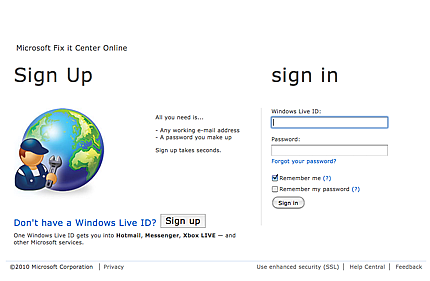 Just having a program that could identify problems with your computer would be nice enough, but this goes a step further…it offers to fix anything that it finds that is wrong!
As you may know, I am certified by Microsoft and CompTIA in the art of diagnosing and repairing PCs, so I approached this product with both a skeptical eye as well as my “Oh boy, this is wonderful” eye.
 I gave it a workout on my VMWare Virtual XP Pro machine that runs on my Apple iMac. Since this is a pretty recent installation of XP Pro and it has been running flawlessly, I didn’t expect the program to find anything, but it did find one small issue with printing that I didn’t realize that I had. The repair option looked harmless and so I let it run. Within seconds it was done and the problem was solved.
Next, I went to my office where I have an older Compaq that used to run Vista, but now is running a clean install of Windows 7 Home Premium (I completely removed Vista before installing Windows 7 six months ago). I downloaded the software, installed it and logged in. The log in showed my Virtual PC which was a nice touch. A subsequent log out and log back in showed both machines.
One big difference was immediately apparent, there were many more diagnostics available under Windows 7 then there were under XP. I take that as a sign that Microsoft is moving away from XP.
My experience was substantially the same on this machine. It found some issues that I allowed it to fix, but it also found some issues that it couldn’t fix. They were mostly driver related (This machine was originally set up for Vista not Windows 7) and it wanted me to go to 3rd party web sites for the fix.
So, my conclusion and advice is that you go get this free product from Microsoft and run it if you are experiencing problems with your Windows 7, Vista or XP computer. This is a beta program, so that means that we can look for improvements over time…or it might mean that it could be abandoned by Microsoft and disappear.
Better go get it now…it might just save you a long call to tech support.







Do you trust this?
With all due respect, Michelle, if I didn't I wouldn't have written about it! 🙂
Thank You, Jerry! I have Vista on my home laptop – and often feel that pain Microsoft is talking about.
Sorry, Jerry… didn't mean to insult you but facebook has lots of problems and I know a lot of friends who are "sending" out e-mails due to a virus. Just wanted to be sure. I have Windows 7 and it is driving me crazy at times. Thanks for looking out for us!